Medical records
Volodymyr YerokhinMedical
3.757.00 Reviews
- Version
- 1.2.4
- Installs
- 100.00K
- Age Rating
- Everyone
Screenshots
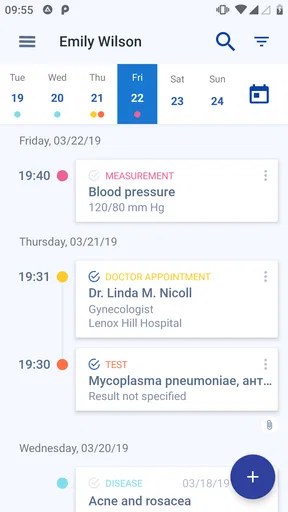
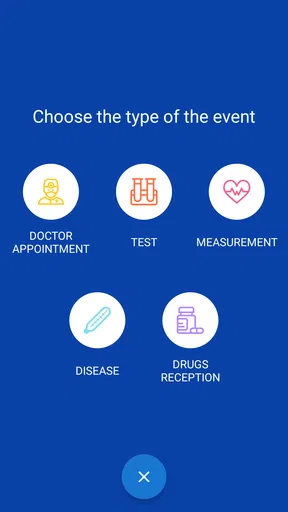
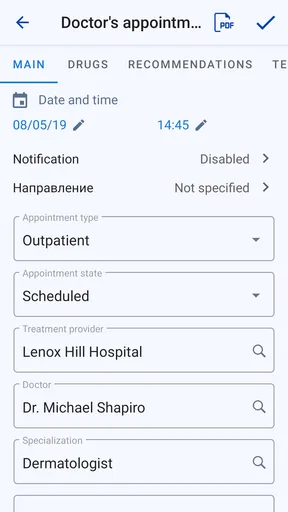
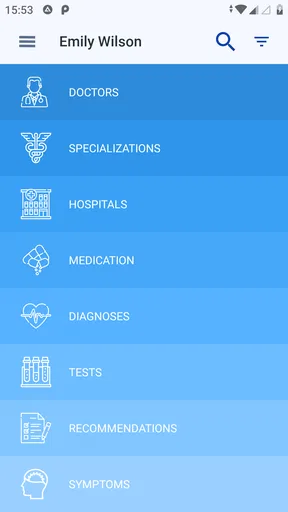
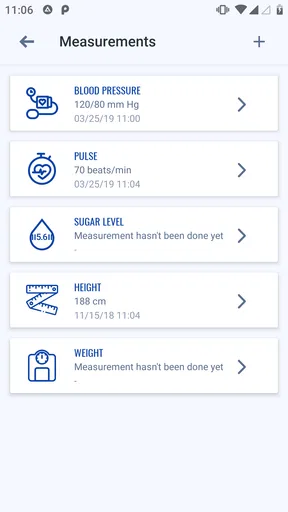
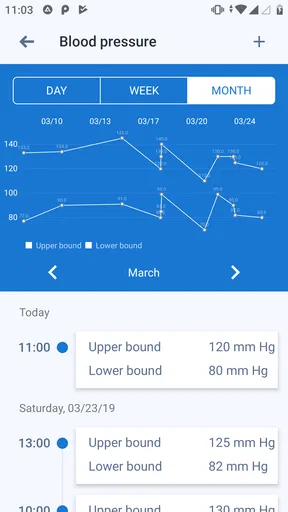
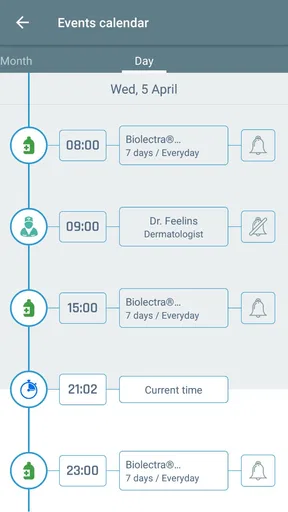
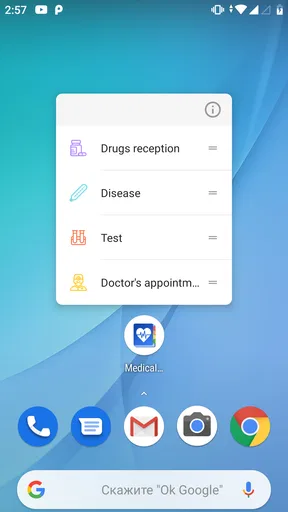
Our Review of Medical records
 Analysis by Appyee
Keeping medical information in one place sounds simple until a doctor asks about an old prescription, a previous diagnosis, or the date of a test I had almost forgotten. Medical records is built around that everyday problem: it is a personal electronic medical card intended to keep important health details available on a phone. I see it as a practical organizer rather than a replacement for a clinic, a diagnostic tool, or professional medical advice.
After using it as a medical-records app, my impression is mixed in a useful way. The idea is genuinely convenient, especially for people who visit different doctors or help manage a family member’s care. At the same time, the value depends heavily on how consistently I enter and maintain information. It does not magically collect a complete health history for me. Its strongest role is giving me a compact place to prepare before an appointment and refer to information when I am away from my usual medical provider.
What the app is like in its current form
Medical records belongs to the medical category and comes from developer Volodymyr Yerokhin. It is free to install, carries an Everyone age rating, and has passed the 100K-plus install mark. The app has a 3.7 average from around 650 ratings, with roughly 60 written reviews, so there is clearly a real audience for the concept, although the rating also suggests that the experience will not satisfy every kind of user equally.
The current version is 1.2.4 and supports Android 6.0 or later. That broad compatibility is useful if I am using an older phone as a dedicated health-management device, or if a relative does not have a recent handset. The app is not presented as a premium-only product: the basic download is free, while optional in-app purchases range from $0.99 to $5.49 per item. I would check the purchase screens carefully before relying on a particular function, because a free installation does not necessarily mean every available capability is included without payment.
The central appeal is portability. A paper folder can be left at home, and a hospital’s records may not include information from another clinic. A phone-based record gives me a chance to carry the details I personally consider important. That can include the information I want to remember before an appointment, the history I need when speaking with a new practitioner, or notes that help me explain a recurring issue without trying to reconstruct everything under pressure.
I would not treat the app as an official master copy of my medical history. A personal record can contain errors, outdated medication details, incomplete test information, or notes written in language a clinician cannot safely interpret. The sensible approach is to use it as a reference and preparation tool, then confirm important facts with a doctor, pharmacist, clinic, or hospital record.
Why a portable record can be more useful than it sounds
The obvious use case is an appointment, but the less obvious benefit is preparation. I can review what I already know before entering the consultation room instead of spending the first few minutes trying to remember names and dates. That changes the quality of the conversation. I am more likely to mention a previous reaction, an old treatment that did not help, or a symptom pattern that would otherwise be forgotten.
Another useful situation is moving between providers. A general practitioner, specialist, urgent-care service, and pharmacy may each see only part of my history. A personal record can help me bridge those gaps, provided I keep it current and show it to the professional rather than assuming it is automatically connected to their system.
It may also help a person supporting an older relative. Before leaving for an appointment, I could review the notes and check whether the information I am carrying is still accurate. This is more practical than relying entirely on memory, especially when several conditions or treatments are involved. However, entering another person’s health details creates a responsibility to protect the phone and avoid casually showing the screen to others.
A realistic day-to-day workflow
Imagine I am visiting a doctor in a different neighborhood after developing a problem outside my usual clinic. I open the app before the visit and review the details I have entered about earlier conditions, medicines, and relevant history. Instead of saying only “I had something similar before,” I can use my notes to give a clearer account. If the doctor asks about a treatment I tried months ago, the record may help me answer without guessing.
The important word is “may.” This workflow only works when I have maintained the record. If I stopped updating it after a prescription changed, the old entry could be worse than no entry at all. My practical advice is to update the record immediately after a meaningful appointment or treatment change, while the information is still fresh. I would also add a short note explaining what changed, rather than leaving several entries that look current but are not.
A second workflow is appointment preparation. I can write down questions before the visit, review symptoms in chronological order, and use the record to avoid spending the consultation trying to remember basic facts. That is a stronger use of a personal medical app than attempting to interpret symptoms on my own. The app can organize what I want to discuss; it cannot decide whether a symptom is harmless or urgent.
What the version and release history tell me
The app was released on October 1, 2016, and its current version is 1.2.4. I read that combination as a sign of a long-running, focused utility rather than a constantly expanding health platform. That is not automatically negative. A simple record keeper can be easier to understand than an overloaded health suite, and a mature product may be appealing to someone who wants a narrow purpose.
It does mean I would approach the app with realistic expectations about evolution. The version number confirms the current software state, but it does not by itself promise a modern hospital integration, automatic data exchange, or advanced clinical analysis. I would judge it on whether its record-keeping workflow suits me, not on features common in much larger health ecosystems.
For an existing user, the move to the current version should be viewed mainly through practical continuity. Before updating, I would make sure I can still access the information that matters and would keep a separate personal backup of critical details in a secure form. I would not rely on any single phone app as the only place where essential medical information exists. That is good digital hygiene for a medical record, regardless of the application.
The app’s age also affects how I think about device choice. Android 6.0 support makes it accessible on older hardware, but an older operating system can have fewer security protections than a current one. The app may still run, yet the phone itself deserves attention: use a screen lock, install system updates when available, and avoid leaving the device unlocked in a shared space.
Where it fits among the usual alternatives
The most common alternative is paper. Paper remains easy to hand to someone and does not depend on battery life, but it is difficult to search, easy to misplace, and awkward to update cleanly. A phone-based record is more convenient when I am already carrying the device, though it introduces privacy and device-security concerns that a paper note does not solve in the same way.
Another alternative is a general notes application. Notes apps are flexible and may be better for attaching free-form explanations, but they usually require me to design my own structure. Medical records is more appealing if I want a purpose-built place for health information rather than a folder of loosely organized text. On the other hand, a notes app may be preferable when I need rich attachments, extensive formatting, or a workflow that this focused tool does not provide.
Patient portals are different again. A portal connected to a clinic can be the better source for official test results, appointment information, and records entered by healthcare professionals. Its weakness is fragmentation: I may need separate accounts for separate providers, and it may not contain the history from elsewhere. This app makes more sense as my personal overview, not as a substitute for those official systems.
Full health platforms can offer broader tracking, but they may also bring more menus, accounts, notifications, and setup work. I would choose this app over a larger platform if my goal were simply to maintain a compact medical reference. I would choose the larger platform if I needed connected services, detailed monitoring, or a more extensive health-management ecosystem and was willing to accept the added complexity.
The friction I would plan for
The largest limitation is manual maintenance. A medical record is only as reliable as its last update. If I change a medicine, receive a new diagnosis, or learn that an old detail was incorrect, I need to revise the entry myself. People who want automatic synchronization with clinics, pharmacies, laboratories, or wearable devices may find this approach too hands-on.
There is also a difference between storing information and making it clinically useful. A list of medicine names without strength, schedule, reason for use, and current status may not help much. When I enter details, I would use the exact wording from a prescription or official document where possible, then mark anything uncertain for confirmation. I would avoid turning the app into a place for speculative self-diagnosis.
Privacy is another serious consideration. Medical information is sensitive even when the app is used only for personal reference. I would not share screenshots casually, would keep the phone protected, and would think carefully before entering details that I would not want visible during a quick phone handoff. If another person helps manage the record, I would agree on how the device and information will be protected.
The optional purchase range also deserves a practical look. Since the app is free with in-app purchases from $0.99 to $5.49 per item, I would explore the included workflow before paying for anything. The right question is not whether an add-on is inexpensive; it is whether it solves a problem I actually have. Someone using the app for a small, stable record may never need an optional purchase, while a person managing a more complicated history may consider one worthwhile if it improves their routine.
Who should use it, and who should skip it
I think it is best suited to people who want a personal medical reference they can carry, are comfortable entering information themselves, and regularly deal with more than one healthcare provider. It can also suit caregivers who need a structured reminder of a relative’s history, as long as they understand that the record must be kept accurate and handled privately.
I would be cautious about recommending it to someone who expects automatic updates from a hospital or wants the app to interpret symptoms. It is also not the right choice for anyone who is unlikely to maintain entries. An outdated medical record can create confusion during a consultation, particularly when a discontinued medicine still appears active.
For urgent symptoms, I would skip the app entirely and seek appropriate medical help. Opening a record organizer is not a safe response to a possible emergency. Its role begins after I have decided what care I need, when I am preparing information, or when I am trying to remember what happened previously.
Small habits that make the app more dependable
I would begin with the information most likely to affect a conversation with a healthcare professional, rather than trying to recreate my entire life history in one sitting. Then I would review the record before each appointment and remove or clearly mark anything that is no longer current. This prevents the app from becoming a crowded archive that looks complete but is hard to trust.
I would also separate confirmed information from personal observations in my wording. For example, a note about “pain after walking” is different from a diagnosis. Keeping that distinction clear helps me communicate honestly and reduces the risk of presenting a guess as a medical fact.
A further useful habit is to prepare a short appointment view in my own mind: current treatments, important past reactions, the main reason for the visit, and questions I want answered. Even if the app contains much more, this smaller focus makes the record practical in a real conversation. A doctor does not need a long stream of unrelated notes when a concise, accurate summary will do.
I would review the record after receiving new instructions, not merely after a diagnosis. A dosage change, a stopped treatment, or advice about follow-up can be just as important as a new condition. Writing the change promptly gives the app a timeline and reduces the chance that I will continue relying on yesterday’s information.
My final view after weighing the trade-offs
Medical records is a focused free medical app with a clear everyday purpose: helping me keep personal health information close at hand. Its portability and simple concept are its best qualities. The fact that it supports Android 6.0 or later also makes it approachable for people using older devices, while the Everyone rating keeps it broadly suitable from an age-classification standpoint.
My recommendation comes with an important condition: I would use it as a personal organizer, not as an official clinical system. It is useful for preparing appointments, remembering history, and communicating across providers, but it cannot replace professional records, medical judgment, or urgent care. The manual nature of the workflow is both its strength and its weakness. I control what goes in, but I also carry the responsibility for keeping it accurate.
The best reason to install it is not convenience alone; it is the chance to arrive at a medical conversation better prepared. If that matches the way I manage my health, this app is worth trying. If I need automatic provider connections, sophisticated tracking, or clinical interpretation, I would look toward a patient portal or a broader health platform instead.
Looking ahead, I would watch how the product evolves from version 1.2.4: whether future changes make updating records easier, clarify the role of optional purchases, and strengthen the experience for people managing several providers or a family member’s care. Until then, I see it as a useful, deliberately narrow tool—valuable when maintained carefully, but not something I would trust blindly with the whole story of my health.
Verdict
Strengths of Medical records
- Keeps essential health information organized in one convenient place.
- Makes it easier to review past diagnoses, treatments, and medications.
- Can help users prepare useful information before medical appointments.
- Digital records are easier to update than paper documents.
- May support better communication between patients and healthcare providers.
Limitations of Medical records
- Data accuracy depends on users and providers entering complete information.
- Some features may require account creation or identity verification.
- Health information can be sensitive if the account is poorly protected.
- Not all clinics or hospitals may support the same record-sharing options.
- The app should not replace professional medical advice or emergency care.
Similar Picks in This Category
View All
WebMD: Symptom Checker
WebMD, LLC4.1

Microphone Amplifier
DOSA Apps4.2

Anatomy Learning - 3D Anatomy
3D Medical OU4.5

Period Tracker and Calendar
SimpleInnovation4.9

GoodRx: Prescription Coupons
GoodRx4.8

CVS Health
CVS Pharmacy4.5
Frequently Asked Questions
What is the Medical Records app used for?
Medical Records is designed to help you organize important health information in one convenient place. Depending on the version you install, you may be able to save diagnoses, medications, allergies, appointments, test results, vaccination details, and notes from medical visits. It can make information easier to find when speaking with a doctor, but it should be treated as an organizational tool rather than a replacement for professional medical advice.
Is my personal health information safe in Medical Records?
Before entering sensitive information, review the app’s privacy policy and security options carefully. Look for features such as device authentication, encryption, secure backups, and control over data sharing. Privacy practices can vary between versions and developers, so users should confirm where information is stored and whether it is shared with third parties. Avoid entering highly sensitive details if the protection offered does not meet your expectations.
Can I use Medical Records to diagnose a condition or receive treatment?
No. An app for managing medical records generally helps you store and review information, but it cannot replace a qualified doctor, pharmacist, or emergency service. The records may help you communicate more clearly during an appointment, yet they should not be used to self-diagnose, change medication, or delay urgent care. Contact a healthcare professional whenever you have symptoms or concerns.
Can I share my records with doctors, family members, or caregivers?
Many medical record applications provide ways to export, print, or share selected information, although the exact options depend on the app and your device. Check whether you can choose individual entries instead of sending your entire record. Before sharing, verify the recipient and remove information that is not necessary. Be especially cautious when using email, messaging services, or public cloud storage.
Does Medical Records work without an internet connection, and can I transfer my data?
Some versions allow you to view or add records offline, while others require an internet connection for synchronization, backups, or account access. Check the app description and test its behavior before relying on it during travel or at a medical appointment. If you switch devices, look for export, import, or backup tools, and confirm that your information can be recovered before deleting the original installation.
